iOS Widgets & CarPlay: control your home from your car
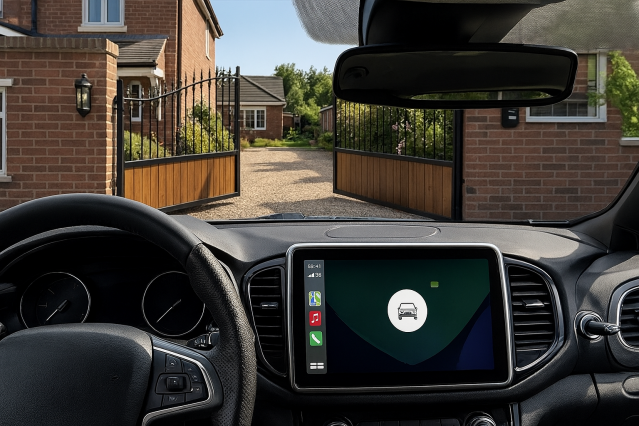
Tydom widgets are now displayed in your CarPlay-equipped car. A new, simple, and intuitive way to control your smart home, even when you're on the go. You can see all settings at a glance, whether you want to activate a routine or turn on/off your alarm.
Key features: How CarPlay widgets simplify routines!
They are iOS 26 compatible, for iPhone 12's onwards (does not support iPhone X, XS, XR, or earlier models)
You can display widgets on CarPlay, letting you activate a routine, turn on/off the alarm, or open/close your garage remotely
You get enhanced security: actions blocked if the iPhone is locked (Face ID required)
Widgets can be custom-organised using iOS "stacks" (depending on the width of the car's screen)
Enjoy quick and easy configuration directly via your iPhone
The app seamlessly integrates, so you can control your home even when you're on the go
Your essential actions directly on CarPlay
Thanks to widgets, you can now access your main controls from your vehicle's screen:
Activate a routine (leave, arrive, night, energy-saving, open/close the garage door or gate...)
Switch the alarm on or off
These widgets have been designed to give you quick, visual control, without having to fiddle around with your phone. A seamless experience, perfectly integrated into your journey.
To benefit from this feature, your iPhone must be iOS 26 or later. iPhone X, XS, XR, and earlier models are therefore not compatible.
Apple's extra security measure
Apple has strict rules to protect your data: A widget will only function when the iPhone is unlocked.
In practical terms:
The widget will be displayed as normal on CarPlay, even if your iPhone is set down and charging.
When you press it, certain actions (particularly alarm-related ones) will require additional verification.
For the widget to function correctly, unlock your iPhone using Face ID before performing any actions.
Apple has added this extra security measure so no one can control your home without your permission, even if they have access to your phone while in your car.
Get more Information about the 4.19 update
Organise your widgets as you wish
In iOS, "stacks" refer to columns of widgets that you can customise to suit your needs.Note that the number of stacks depends on the width of your screen: 1 stack for small screens and 2 stacks for large screens.
You can:
Adding several Tydom widgets
Group them in a stack
Choose their order
Adapt their display to suit your needs
You can quickly configure them via your iPhone.
Making your smart home even more accessible
A single app to control everything
Available for free on App Store, the Delta Dore app has a main dashboard for managing your smart home:
Notifications in the event of an alarm, pre-alarm or technical error
A remotely controlled alarm, by zone or full activation
Video doubt removal with Tycam cameras
Create routines to automate your daily life
Event history to keep an eye on your installation
With the Delta Dore app, you can connect all your equipment and control it wherever you are.